

Last Friday night, I had one of those ideas that hits right before you should probably go to bed: what if we turned [Un]Churned podcast promotion into an internal game?
International Podcast Day was coming up and—more importantly—we were about to drop our 150th episode that same week. A milestone like that deserved something special. Something fun. Something slightly unhinged.
Picture this: a leaky customer bucket. The only way to stop the flood? Complete promotional tasks that magically “patch” the holes caused by churn. We’d make it fun, a little absurd, and a hat-tip to [Un]Churned’s old podcast artwork which featured (you guessed it) a bucket.
![Illustration of a bucket being filled with water while another bucket leaks water through holes covered with colorful bandages. Text reads: "[Un]Churned. Fix The Leaky Bucket with our gamified podcast promotion app.](https://www.gainsight.com/wp-content/uploads/2025/10/preview.jpg)
One problem: I’m not a developer.
But then I saw what Sonia Moaiery, Director of Product Marketing at Gainsight, built a few weeks ago—vibe coding on Lovable. Watching her demo instantly transported me back: to middle school me, hand-coding HTML websites with Lullaby by Shawn Mullins set as a looping MIDI background sound. To college me, obsessing over MySpace custom layouts—glitter text, autoplay music, fancy cursors, hidden tables… I did it all.
Sonia’s applet—a weather forecast and customer education mash-up that’s coming soon—was equal parts childlike joy and practical wisdom. And the best part? She made me believe I could do it too.
Inspired by Agentic Workflows
Meanwhile, our field marketing team has been running sold-out Agentic Connect events across the US. At these invite-only, 2-hour lunch workshops, Customer Success and Revenue leaders tackle retention challenges and build agentic workflows. After packed sessions in Chicago, Denver, Boston, Atlanta, and NYC (with six more cities coming), the team has made building agentic workflows look genuinely easy.
Case in point: Brady Bluhm, Sr. Product Manager of Staircase AI, built a custom workshop facilitator GPT in one hour flat. It guides users through building agentic workflows, and it’s kind of meta until you see it in action—then you’re suddenly 🤯 and 🎉 all at once. Amazing work, Brady!
All this to say: I’m surrounded by people doing incredible things with AI at Gainsight. So I did what any rational person would do in 2025. I asked one AI tool to build the Leaky Bucket for me. Then another AI tool. Then I enlisted our company’s AI Intern to teach me terminal commands while simultaneously warning me never to run rm -rf / (NEVER, EVER, EVER DO THIS FOLKS—it will delete your entire file system and possibly your will to live).
This is the story of how [Un]Churned Podcast’s bucket-patching game went from napkin sketch to live production app, and why it took four different collaborators—two humans, two AI tools—to get there.
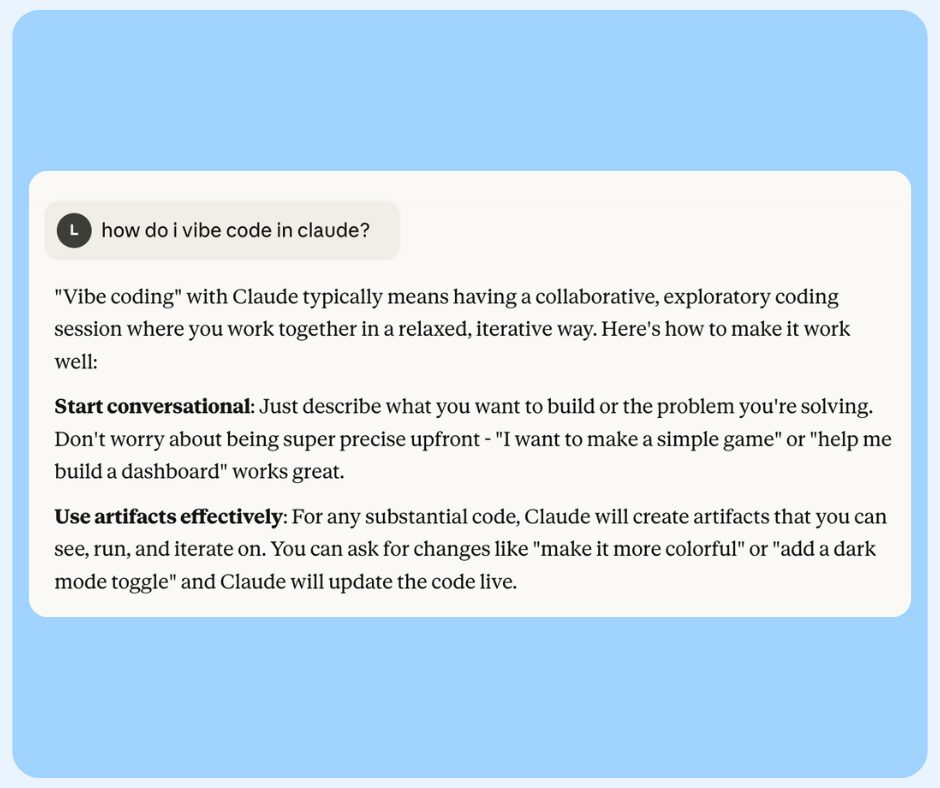
Part 1: Claude and the Design Document
I started with Claude, giving it the core concept and our brand guidelines. Instead of jumping straight into code, Claude created a comprehensive design document covering:
- User flow and gamification mechanics
- Glassmorphism design system with our brand colors (this I borrowed from Sonia)
- Bob’s Burgers-style cartoon bucket visuals (big Bob’s fan)
- Points system and leaderboard structure
- All 36 promotional tasks across 6 platforms
This became our north star. Then we started building. We = Claude and me.
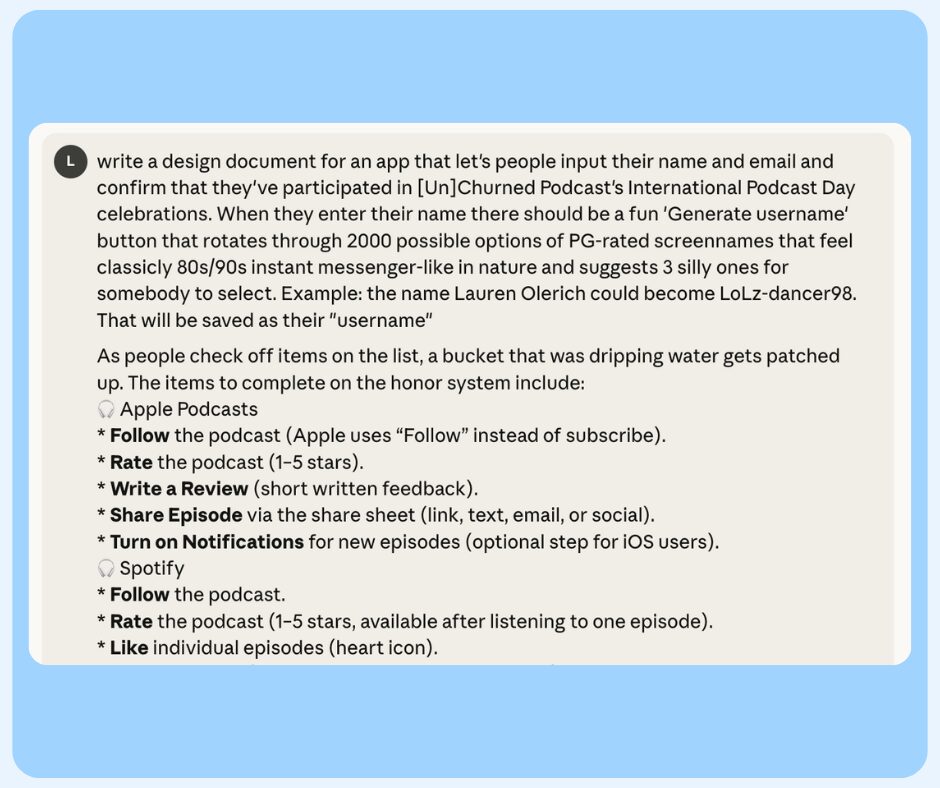
The Early Wins
Claude absolutely crushed the fun details:
- A registration page with a 90s-style username generator that incorporated real names into handles like “LoLz-dancer98” and “Laser-Lauren”
- Confetti celebration effects using brand colors
- Form validation with cheeky error messages (“Wait a sec, [Un]known Stranger – Name plz.”)
We iterated constantly. The dashboard layout went from 60/40 bucket-to-checklist split, to 30/70 for better UX. We changed error message colors from Starfish (#F75D4F) to Grape (#2F3779) for better visibility on glassmorphic backgrounds. We cleaned up headers at least five times until the [Un]Churned logo stood alone at the top.
![A digital interface for a podcast promotion app with options to generate a screen name. It features a "Roll [Un]other Time" button, three suggested usernames, and a blue button labeled "Let's Get [Un]Real with Promotion.](https://www.gainsight.com/wp-content/uploads/2025/10/bucketappflow9.jpg)
When Claude Hit the Wall
Then I hit Claude’s context window limit. We’d been going back and forth for so long—revising, debugging, adding features—that Claude literally couldn’t process any more messages in that conversation.
I needed a Plan B.
Part 2: Enter Jacob Friedman, AI Intern Extraordinaire
This is where Jacob Friedman comes in. Jacob is technically an AI intern at Gainsight, but really he’s been teaching me how to be a functional human in Terminal. He’s preparing me to take over management of PulseGPT (our internal custom model that extracts timestamped insights from Pulse sessions), which means I need to actually understand what I’m doing when I type cryptic commands into a black box.
Jacob took one look at my Claude situation and said: “Let’s try Codex.”
The Codex Rebuild
Codex is OpenAI’s command-line tool for agentic coding. Here’s what I learned works:
The handoff process:
- Jacob suggested I ask Claude: “Give me the full comprehensive details of what I’ve asked you to build, including design and features, phrased as a prompt for another LLM”
- Claude generated a massive instruction document
- I pasted that entire thing into Codex
- Codex rebuilt the app from those instructions
On iteration one, Codex nailed it. Everything Claude and I had painstakingly refined was there—the glassmorphism, the username generator, the bucket mechanics, the brand colors.
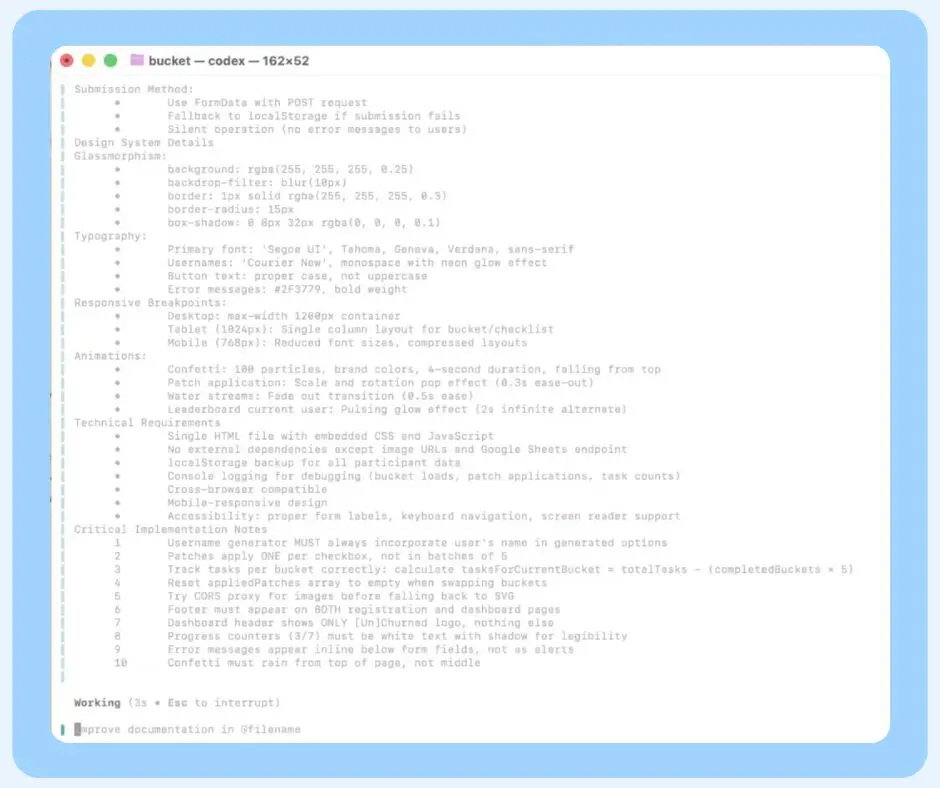
The Debugging Dance
But of course, things broke. Two major issues emerged:
The Bucket Swap Bug: When a bucket was fully patched and swapped to a new design, clicking one checkbox would flash all 5 patches at once. Jacob helped me add console logging to debug, and we discovered the task counter wasn’t resetting properly for new buckets. The fix required calculating tasksForCurrentBucket = totalTasks - (completedBuckets × 5) to track progress per bucket, not globally.
The Slowness Problem: Everything was weirdly laggy. Turns out Codex had implemented CORS checking that was running on every interaction. We eventually stripped that out.
The CORS Nightmare: I had custom Bob’s Burgers-style bucket artwork hosted on HubSpot. Codex tried loading them directly, hit Cross-Origin Resource Sharing restrictions, tried a CORS proxy service, fell back to SVG placeholders. None of it worked with the actual artwork. (Spoiler: we solved this later by moving everything to Vercel.)
Through all of this, Jacob was patient, explaining what each error meant, suggesting debugging strategies, and generally being the human guardrail between me and catastrophic Terminal mistakes.
The hour we spent together felt like pair programming—except one of us actually knew what they were doing, and the other was me frantically taking notes while trying not to accidentally rm -rf / my entire existence.
Part 3: Ben and the Deployment Reality Check
With a working(ish) app in hand, I went to Ben Liddi, our Full Stack Developer, with what I thought was a simple question: “Can we make this live?”
His answer: “Well… yes, but.”
The Database Problem
Ben immediately identified the fatal flaw: I was trying to use Google Sheets as a database via some janky Google Apps Script extension Claude had told me to set up. Ben looked at it and basically said, “This isn’t going to work reliably, and also I’m not just blindly throwing AI-generated code onto our server.”
Fair.
He pointed out other issues:
- The app might not work locally but could work once deployed to a server
- Google might straight up reject the connection because I was running it as a local file, not through a server
- There was some weird all-origins API hole in the code that needed investigation
- We’d need proper image hosting (not HubSpot)
![A gamified dashboard titled “[Un]Churned” displays a sad, leaky bucket with a score of 0 and a checklist for LinkedIn actions to patch the bucket and earn points—perfect for gamified podcast promotion within your podcast app.](https://www.gainsight.com/wp-content/uploads/2025/10/bucketappflow10.jpg)
The Simplification Moment
Then Ben made the engineering call that actually made this shippable:
“Instead of 16 images—8 different buckets with 8 different patch states—just make 6 images. One bucket design, showing 0 patches, 1 patch, 2 patches, 3 patches, 4 patches, 5 patches. Done.”
Why did this matter? Because with holes in different places across different buckets, the patches could never line up correctly. The code would have to know the exact coordinates of holes that only existed in image files. By standardizing on one bucket design, we could simply swap images based on completion count.
This was the difference between “technically impressive” and “actually shippable for a 3-day Slack promotion turnaround.”
Ben agreed to host it if I could solve the database problem and get everything into a clean state. I was deeper into this and needed to fix it. Let the fun continue…
Part 4: ChatGPT, Supabase, Vercel, and Go Live
With Ben’s requirements clear, I needed to solve three problems:
- Reliable database that wasn’t Google Sheets via an extension
- Secure architecture
- Proper deployment pipeline
I switched to ChatGPT for this phase (different tool, different strengths) so I could volley my questions back and forth.
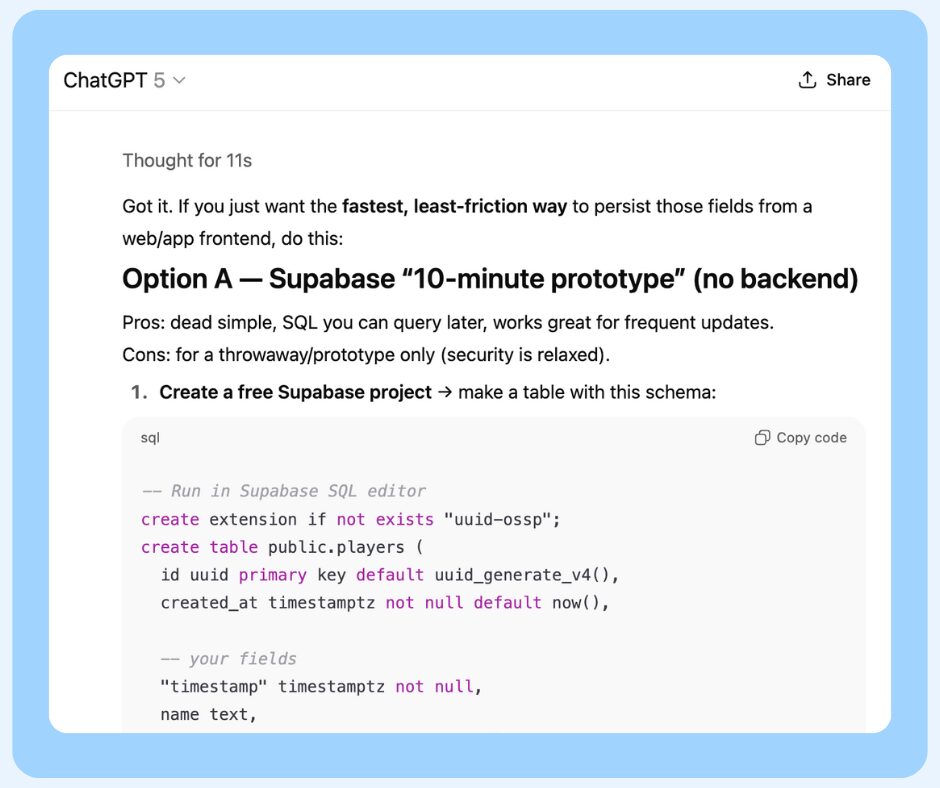
Long Story, Long: The Solution
Supabase became our database—managed Postgres with a friendly dashboard. I could create the players table, insert test data, see updates in real-time. No more Google Sheets hacks.
But the first implementation was insecure: the frontend talked directly to Supabase with an “anon” key, which was not ideal.
ChatGPT walked me through the fix: Vercel serverless functions. We created a tiny API endpoint that sits between the frontend and Supabase. The function uses Supabase’s secret service role key, stored securely as a Vercel environment variable.
Now:
- The browser never touches sensitive keys
- Supabase Row Level Security stays enabled
- Every write goes through a single controlled gateway
GitHub gave us version control and the integration point for Vercel. Every push to the repo triggered a new deployment automatically.
Vercel hosted everything—frontend pages, secure backend API, automatic deployments from GitHub, environment variables, the works.
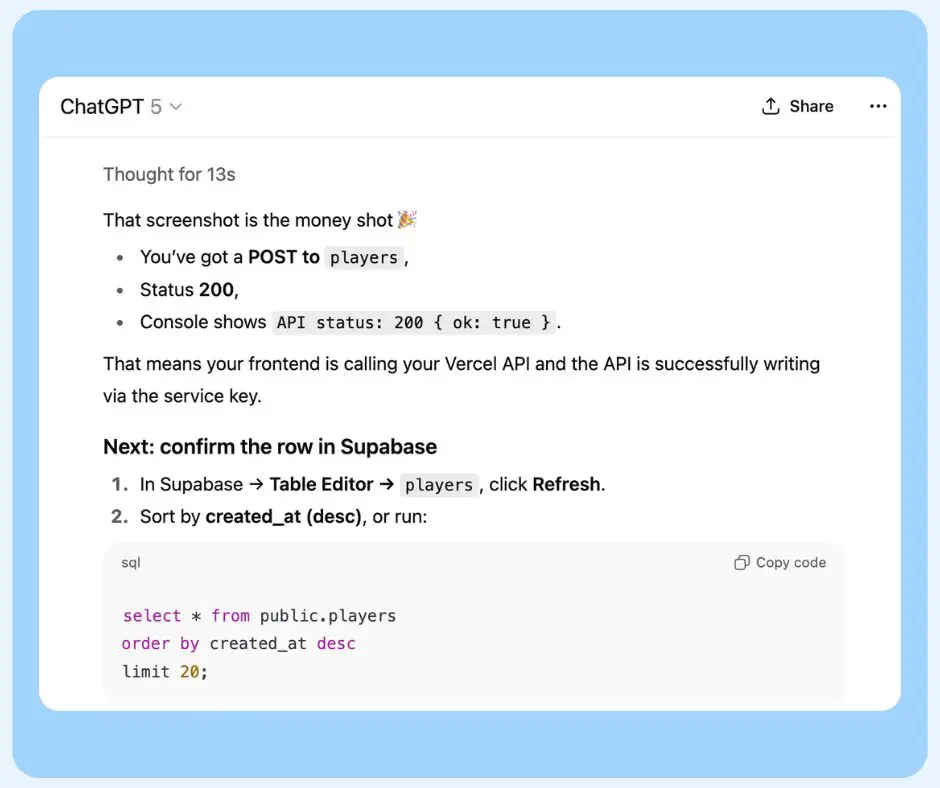
The wildest part is that everything I wrote in this section still looks like Gobbledegook (Goblin language for the non-Potterheads) and yet, I successfully navigated through it all in a few hours.
The Debugging Loop Workflow:
- Make changes locally
- Commit to GitHub
- Vercel redeploys automatically
- Check logs and browser DevTools
- Fix what broke
- Repeat
We (ChatGPT and me) hit bumps: wrong file formats, missing dependencies, old code still pointing directly to Supabase. But the loop made it feel manageable.
Making It Actually Shareable
Once the mechanics worked, I added the polish that makes people actually want to click:
- Open Graph and Twitter meta tags so pasting the link in Slack shows a bold preview
- Favicons so the browser tab looks finished
- Catchy copy to lure people into using it internally
- Writing this blog post synthesizing chat history, Granola notes, and Zoom transcripts
What This Taught Me About AI-Assisted Development
You Need Multiple Tools
Each AI had different strengths:
- Claude excelled at design systems thinking and maintaining consistency
- Codex was better at rebuilding from specifications and handling complex state management
- ChatGPT guided the infrastructure and deployment decisions
Trying to do everything in one tool would have failed. They’re good at different things.
Human Expertise Is Non-Negotiable
Jacob brought:
- Technical problem-solving and debugging strategies
- Terminal literacy and workflow knowledge
- The wisdom to warn me about
rm -rf /before I accidentally hit the keyboard wrong
Ben brought:
- Security and architecture expertise
- Deployment reality checks
- The engineering judgment to know when “good enough” is actually good enough
But the inspiration to even attempt this came from people around me:
- Sonia showed me vibe coding was possible with her Lovable weather app
- Brady proved you could build something genuinely useful (a workshop facilitator GPT) in an hour
- The field marketing team made agentic workflows look approachable instead of intimidating
- Josh, host of [Un]Churned, encouraged me to document this whole process
Oh, and let’s not forget the AIs! They brought:
- Instant implementation of anything I could describe
- Tireless iteration without frustration
- Technical documentation and best practices
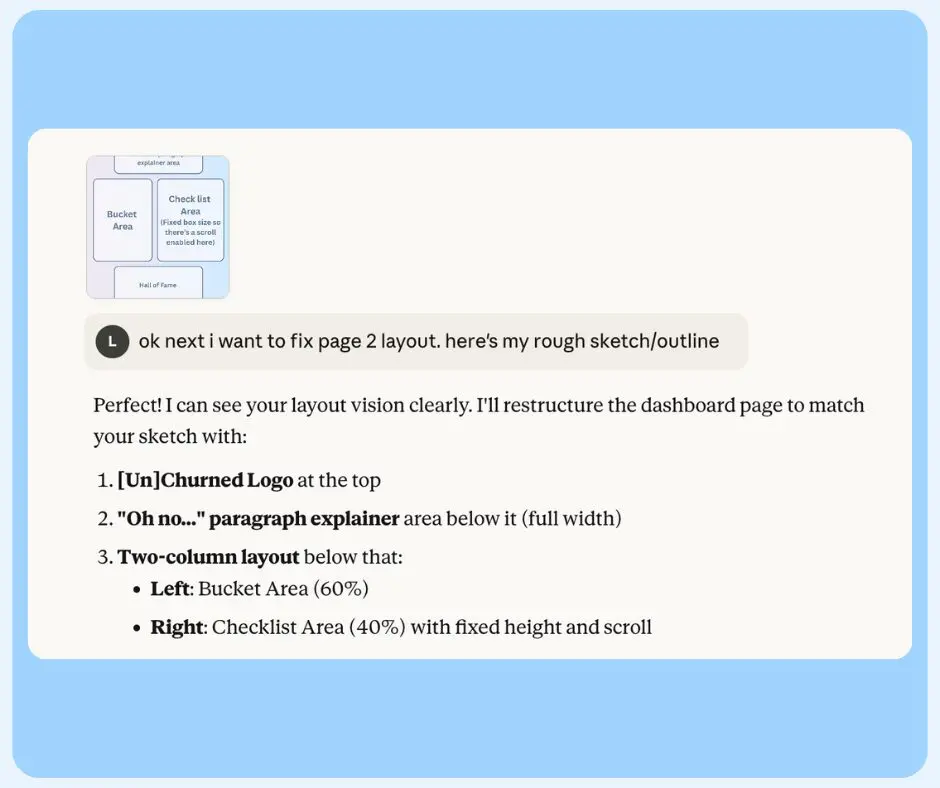
The Collaboration Was Genuinely Collaborative
This wasn’t “AI does everything” or “AI is just autocomplete.” It was:
- Me having an idea and direction
- AIs implementing rapidly
- Humans providing expertise and guardrails
- Constant iteration between all parties
The process looked like:
- I describe what I want
- AI implements it
- I evaluate whether it’s right
- Human expert identifies what’s wrong or risky
- AI adjusts based on that expertise
- Repeat until it works
What You Actually Need to Build with AI
You don’t need to be a developer anymore, but you need:
- Clear vision of what you want
- Ability to articulate requirements and problems
- Patience to iterate (we revised things 5+ times regularly)
- Judgment to evaluate what’s working
- Problem-solving skills when things inevitably break
- Access to human expertise for deployment, security, and architecture decisions
The Results
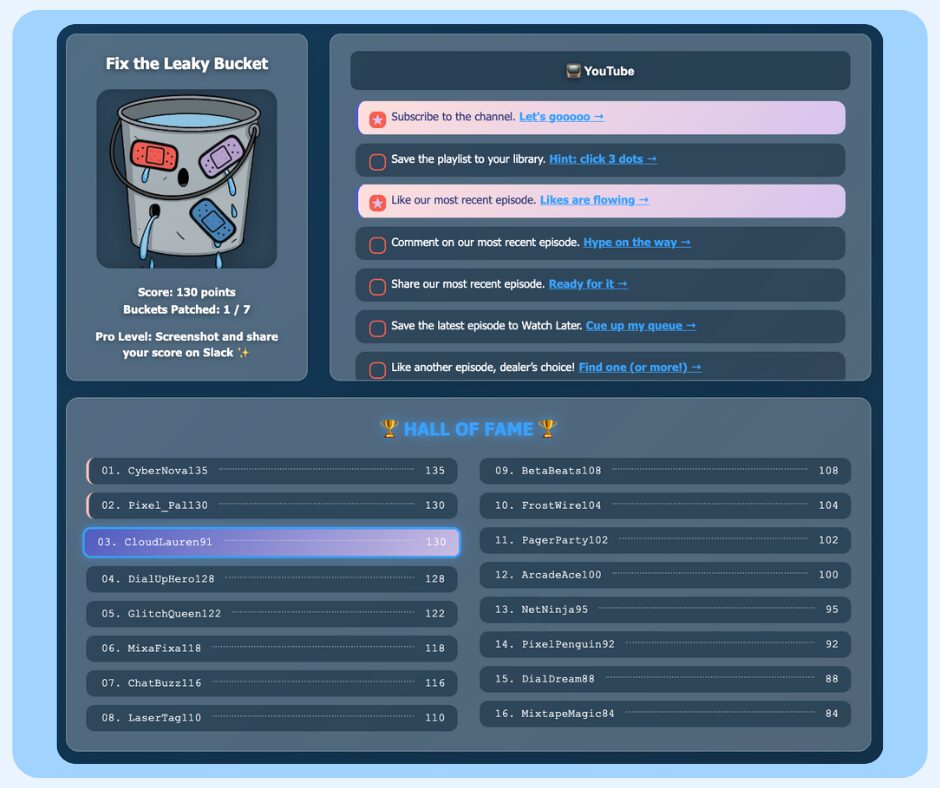
The Leaky Bucket challenge is now live for internal use! Will anyone actually play it? Will people patch their buckets? Will we see names populating that Supabase table?
Supabase table, I’m lookin’ at you, kid.
The app includes:
- Registration flow with 2000+ possible username combinations
- Gamified bucket mechanic that responds to every completed task
- 30+ promotional tasks across Spotify, Apple Podcasts, YouTube, LinkedIn, Amazon Music, and Instagram
- Points system (10 per task + 50 per completed bucket)
- Hall of Fame leaderboard with arcade styling
- Secure backend data collection via Vercel + Supabase
From concept to production in about 4 days of on-and-off work, with probably 10 hours of actual building time.
If you’re inspired to build something similar (with AI assistance or not) just remember:
- Use multiple tools for their strengths
- Find your Jacob (the human who knows what they’re doing)
- Listen to your Ben (the human who’ll keep you from deploying garbage)
- Never, ever, EVER run
rm -rf /in terminal!!!
Now excuse me while I obsessively refresh the Supabase dashboard to see if anyone’s actually playing this thing.
